01 / ON SET
One clock for the whole shoot.
Start a session on a phone or the laptop. The crew joins by scanning a code. Each camera is linked by Bluetooth or a two-second timecode scan.
 SYNCABYTE
CAMERA / SYNC LOGGER
Phones log when each camera rolls against one master clock. The Mac app turns that log and the card dumps into a Premiere Pro timeline with every clip in place.
No account. No server. No clapping.
01 / ON SET
Start a session on a phone or the laptop. The crew joins by scanning a code. Each camera is linked by Bluetooth or a two-second timecode scan.
02 / AT WRAP
End the session and every phone sends its log back. One small file holds every camera, recording, timecode scan and marker.
03 / IN THE EDIT
Open the log, point each camera at its card folder and export. Premiere Pro opens a sequence with one track per camera and every clip in place.
Dark on set, light in the edit. Big type you can read at arm's length.
THE SESSION
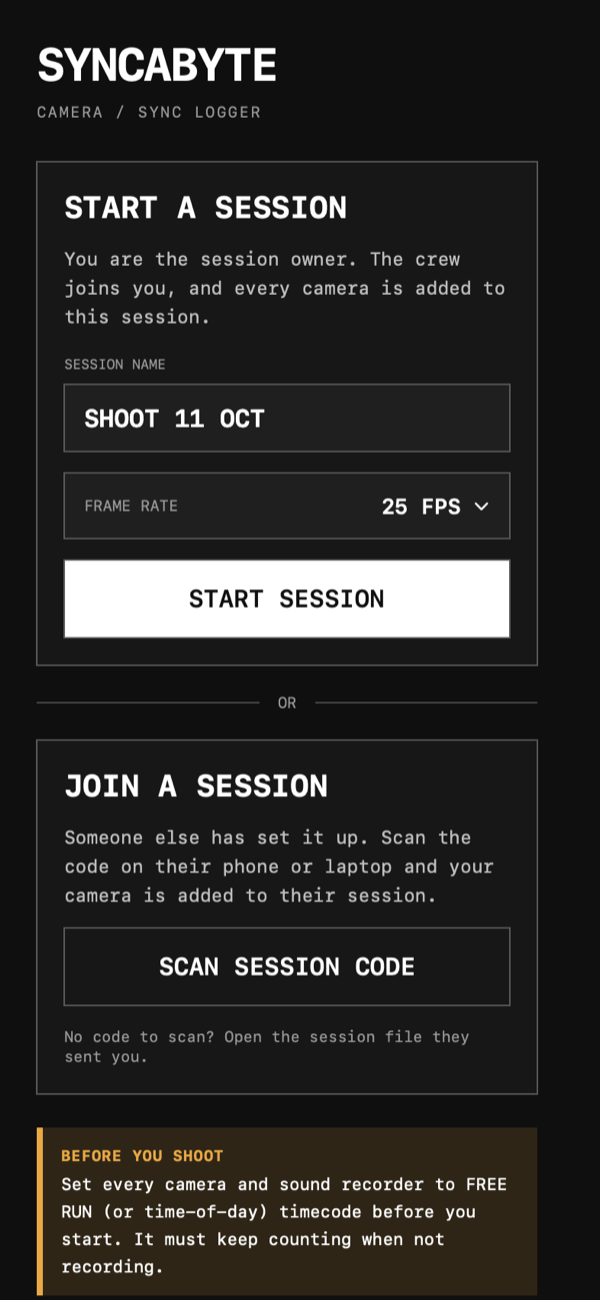
Name the shoot and pick the frame rate, on a phone or the laptop. Whoever starts it owns it.
Scan the code on the owner's phone or laptop. No Wi-Fi or signal needed. Or open a session file they send you.
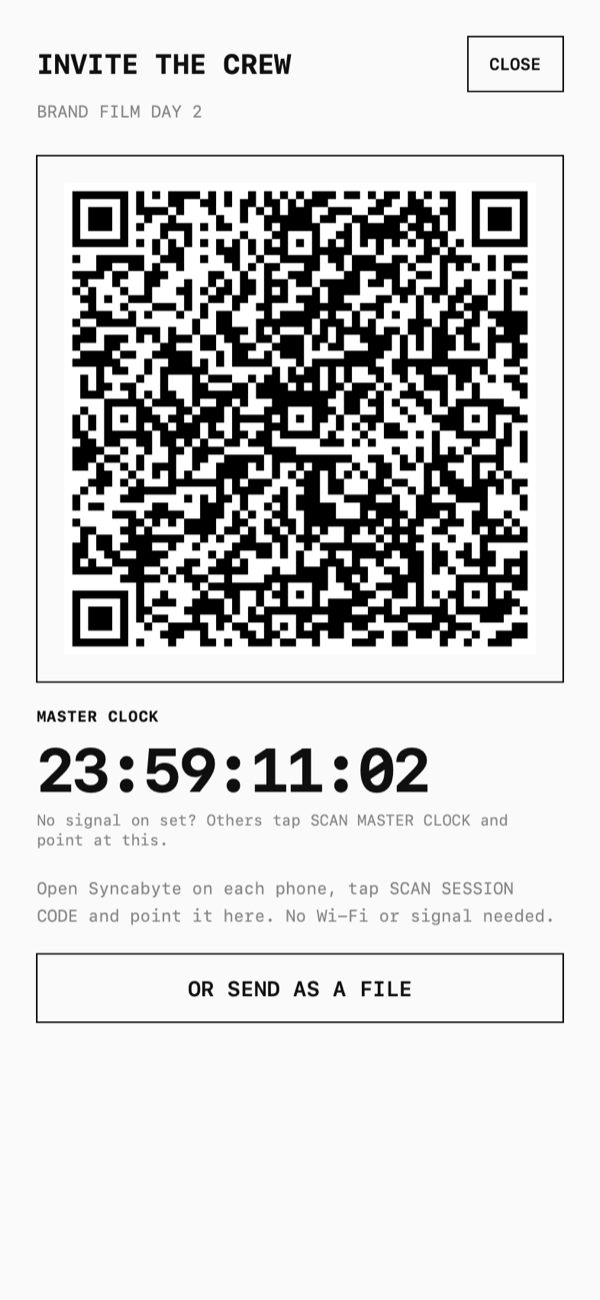
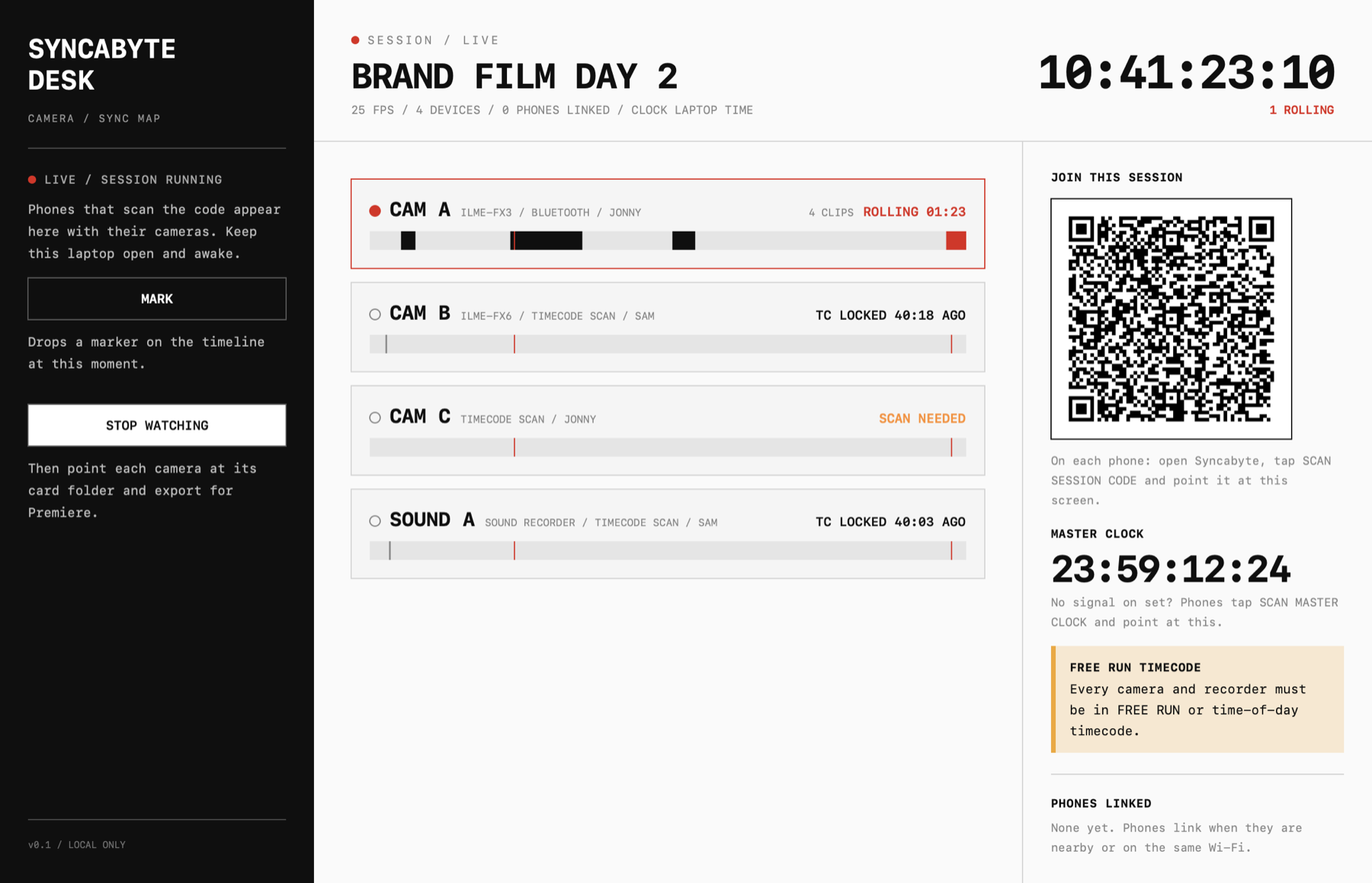
Shows the session code and the running master clock for the crew to scan, or sends the session as a file.
With internet, every device checks the same time server at the start and every five minutes. The source is fixed for the session, so nothing jumps mid-shoot.
No signal on set? Point a phone at the clock on another device's screen and it sets itself to match.
Drops a numbered marker on the timeline at that moment. Markers arrive in Premiere with the clips.
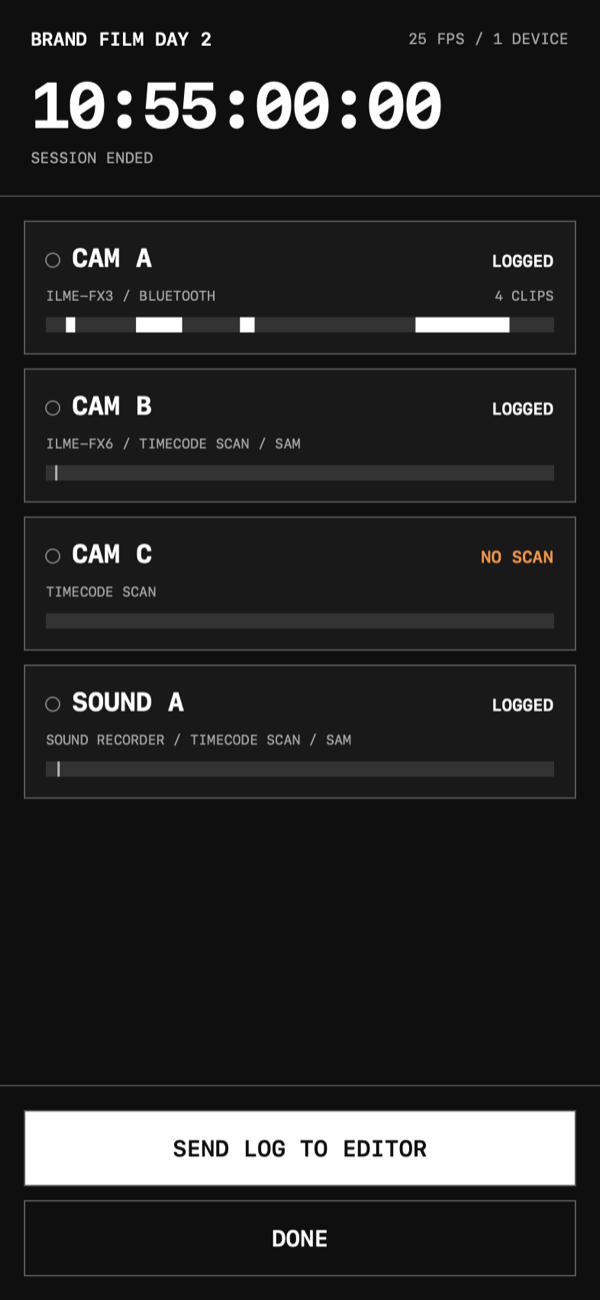
The owner ends the session for everyone, and each device sends its final log back. Anyone else can leave without stopping the others.
CAMERAS AND SOUND
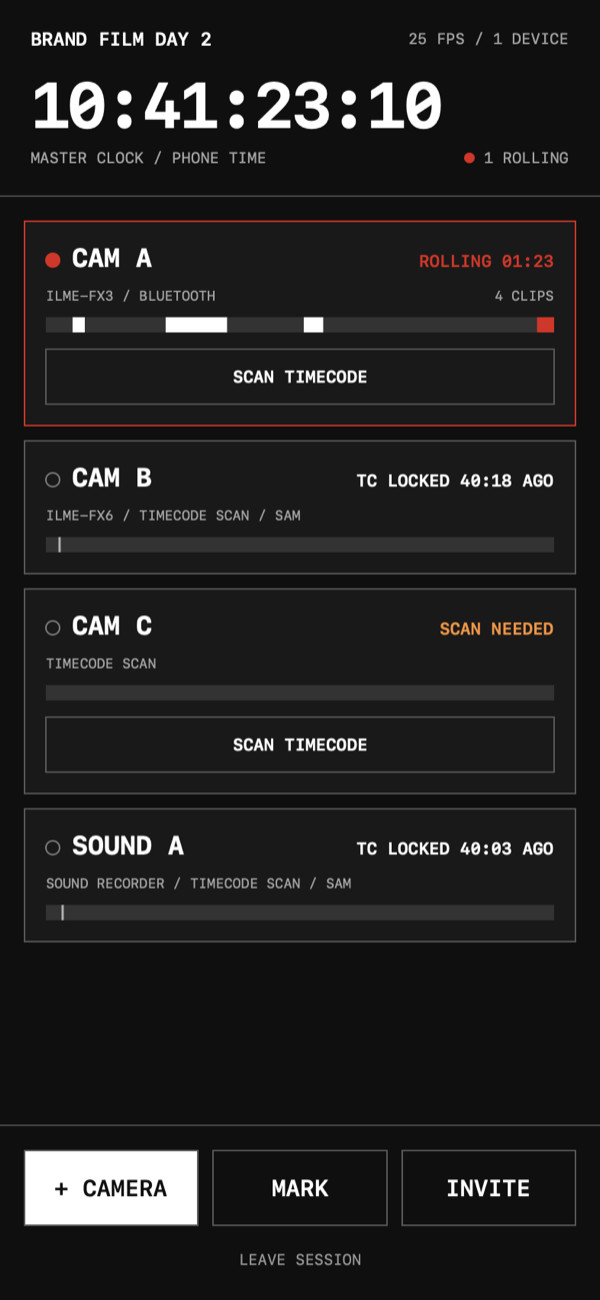
Sony FX3, FX30, A7S III and A7 IV. Live record start and stop. Once linked, the phone can stay in a pocket.
Any camera. Point the phone at the running timecode for two seconds. No pairing.
One phone can walk round and scan every camera in turn, each under the next free name.
Sony FX6 and FX9. Checks the phone can reach the camera on the network, then syncs it from a timecode scan.
Scanned like a camera. The Mac app reads the timecode stamp inside each WAV file and adds audio-only tracks.
If Bluetooth drops, the start of the recording is kept and its length comes from the file. Later clips are placed by timecode.
THE MAC APP
Run the shoot from the laptop. It shows a code to scan, then lists every camera as it is added and as it rolls.
The live log is written to Documents/Syncabyte Sessions on every change, so nothing is lost if the laptop dies.
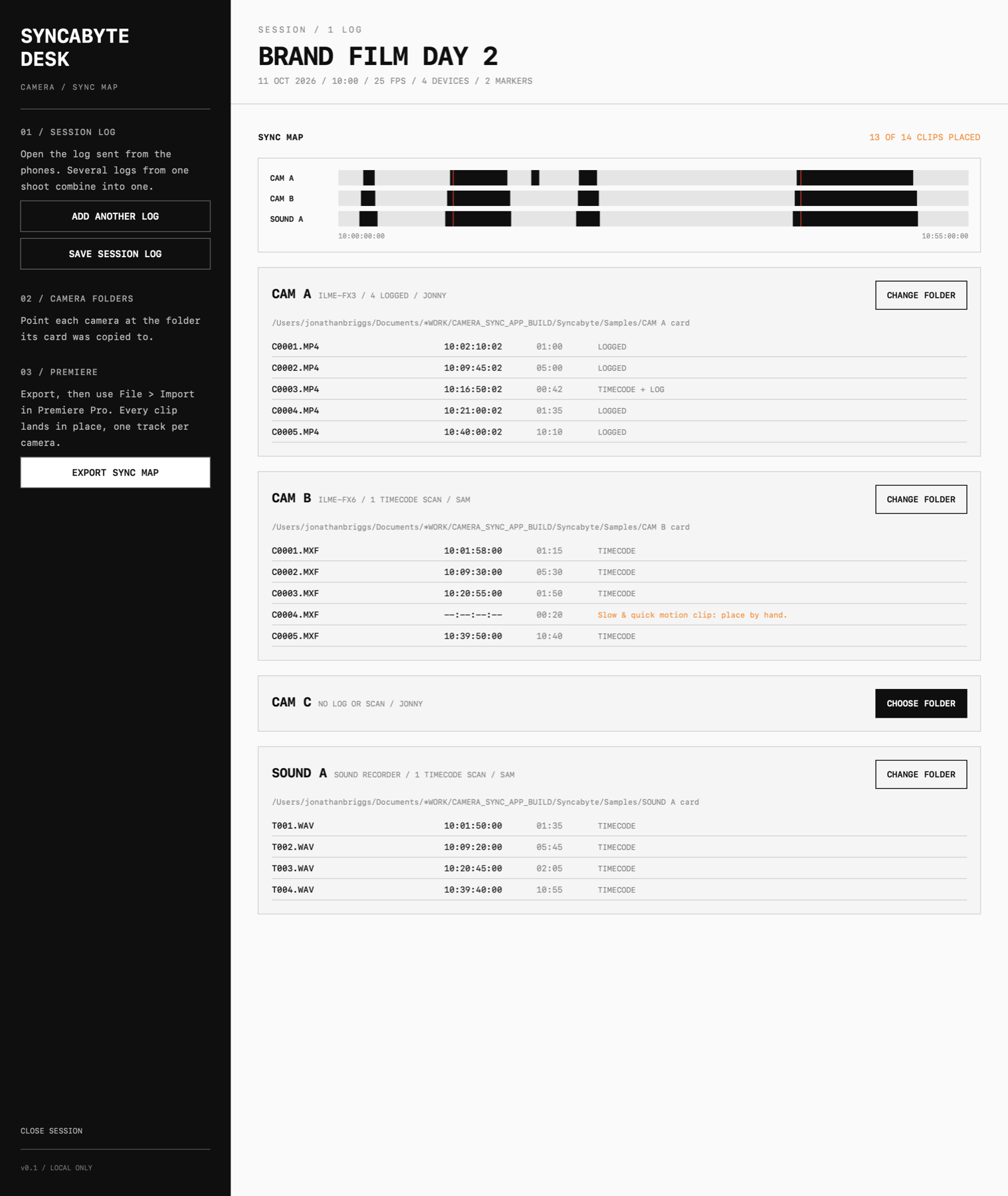
Open the log from the phones. Several logs from one shoot merge into one. Nothing is replaced.
Point each camera at the folder its card was copied to. Syncabyte reads each clip's length and timecode.
A timeline of every placed clip. Each clip shows how it was placed: LOGGED, TIMECODE or TIMECODE + LOG.
Slow-motion clips, missing timecode and timecode changed mid-shoot are flagged instead of guessed.
Writes an XML sequence for Premiere Pro: File > Import. One track per camera, with markers and audio tracks.
Saves the whole session, every camera, scan, recording and marker, as one file.
Set every camera and sound recorder to FREE RUN (or time-of-day) timecode before you start. It must keep counting when not recording.
IPHONE
The on-set logger. Runs the session, links the cameras and sends the log.
ANY PHONE
The on-set logger in your phone's browser. Start or join a session, scan each camera's timecode and send the log. Nothing to install.
Open Syncabyte WebMAC
Live sessions from the laptop, plus the sync map and Premiere export.
Download for MacANY BROWSER
The after-the-shoot half as a web app: open a log, add card folders, export for Premiere.
Open Syncabyte LiteVersion 0.1 is an early preview. Run it alongside your usual sync method until you have checked it with your own cameras. The Mac download is not yet notarised by Apple; see how to open it.